MOBILE · ANDROID

Split and record, on your phone.

Separate any song into vocals, drums and bass on the phone itself, then record over the backing track. Nothing is uploaded — it all runs on your device.

Version 1.0.1 · 52 MB · Android 8.1+ · Free
ONE store (Korea) · automatic updates

Found a problem or missing something? Tell us in the app under Settings → Send feedback and we will fix it fast.

Studio · loop range
WHAT IT DOES

The core of the PC app, in your hand.

SEPARATE

Stem separation on the phone

4-stem (vocals, drums, bass, other) and 6-stem (adds guitar and piano) models, run on the phone GPU. The model downloads once, the first time you use it.

IMPORT

From a link or your files

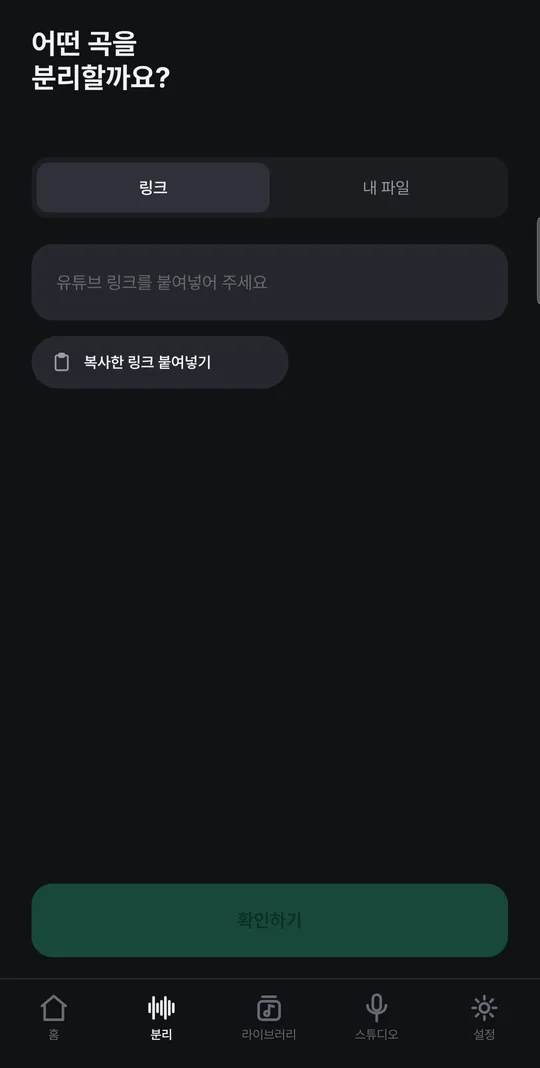
Paste a YouTube link, send one from another app with Share → underdaw, or pick a music file on your phone.

PRACTICE

Stem mixer player

Volume and mute per instrument, key and speed change, loop a section, metronome and count-in, and the original video alongside.

RECORD

A studio to record over the backing

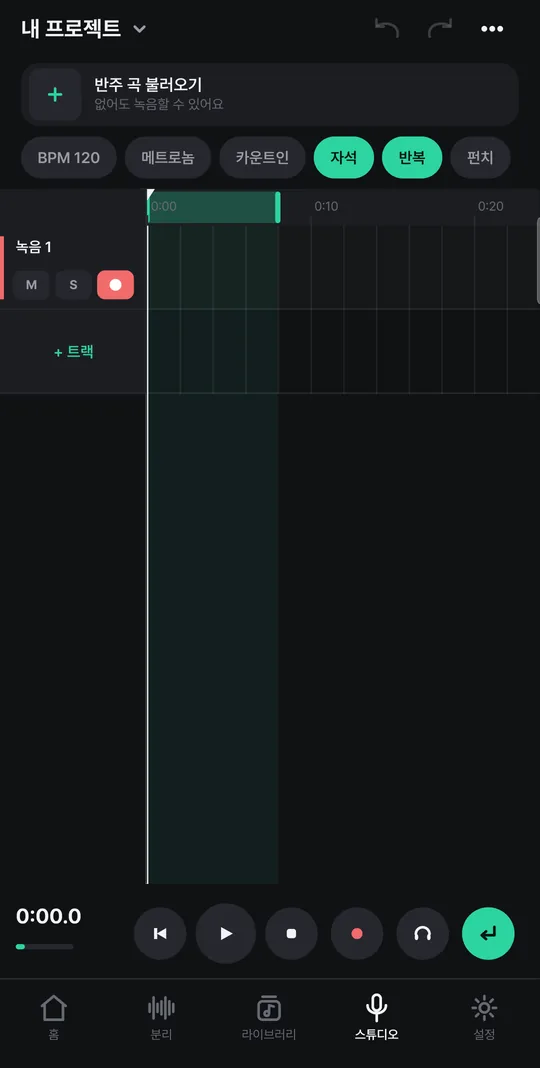
Multiple tracks, loop recording that stacks a take per pass, take picking, punch recording, latency calibration and a tuner. USB audio interfaces work too.

EFFECTS

Track, clip and master effects

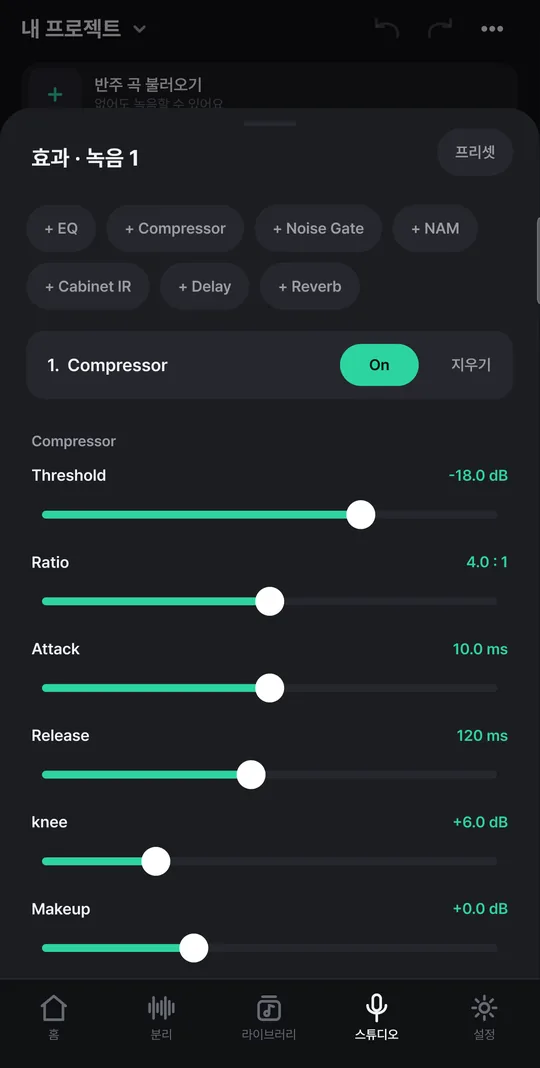
EQ, compressor, noise gate, NAM amp models, cabinet IR, delay and reverb. Save chains as presets.

EXPORT

Matched to streaming loudness

Save as WAV, FLAC or M4A and share. Match -14 LUFS (YouTube, Spotify) or -16 LUFS (Apple Music).
Screens

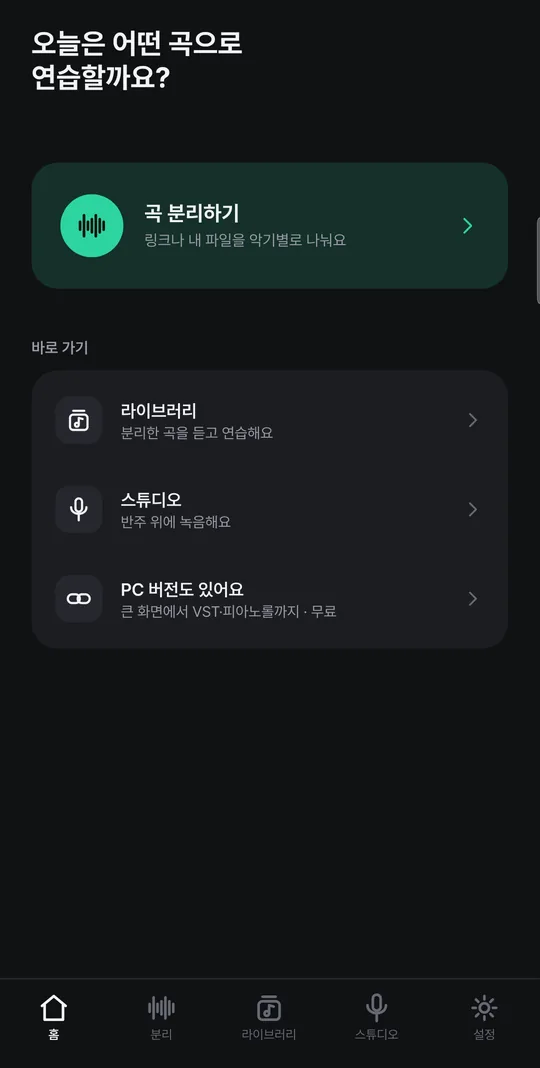
Home
Home
Separate a song
Separate a song
Studio · loop range
Studio · loop range
Effects
Effects

Installing the APK

Installing from ONE store skips these steps and keeps the app updated for you.

  1. Open this page on your phone and tap Download APK.
  2. Open the downloaded file. The first time, Android asks you to allow installing "unknown apps" — turn it on for your browser (or Files app).
  3. Tap Install. If Google Play Protect asks, choose Install anyway.
  4. Open the app and, under Separate a song, download the separation model once (about 170 MB).

Requirements

  • Android 8.1 or later, 64-bit ARM phone or tablet
  • About 170 MB for the separation model (plus tens of MB per song)
  • Separation time depends on the phone — a few minutes on recent ones

Not there yet

  • Sharing projects with the PC version
  • Piano roll / MIDI, VST plugins
  • Video editing, camera recording
  • iPhone (iOS) — Android comes first

FAQ

Where can I get it?

From ONE store, or as an APK from this page. They are the same app, so you can switch from the APK to ONE store and keep your projects and songs. It is not on Google Play yet.

How do I update?

ONE store updates the app for you. If you installed the APK, download the new version from this page and install it over the old one. Your projects and songs stay.

Is my audio uploaded?

No. Separation, recording and export all run on the phone. The internet is only used to fetch a song from a link or to download the model the first time.

Verify the file (SHA-256)

underdaw-mobile-1.0.1.apk
92ad74fd238e0cfeb833a0ede6298a5912931bd4ac22ec69fa9943649a1de5d2

Version 1.0.1 · 52 MB · Android 8.1+ · Free
ONE store (Korea) · automatic updates

On a big screen, use the PC app

Video editing, piano roll and VST plugins — underdaw for Windows is the full release.

See the PC app